01 / Field notes
Executive Summary
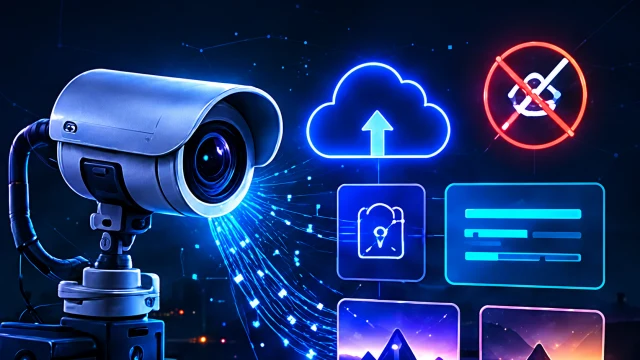
A camera's storage label does not describe its entire privacy footprint. “Local recording” may refer to continuous video on a card while snapshots, notifications or remote viewing use a separate service. The important questions are what is captured, where each copy goes and who can access it.
The FTC advises camera owners to review security settings and remote access. NIST's IoT baseline identifies capabilities such as device configuration, data protection and software updating. [1][2] Translate those ideas into the specific camera and subscription you use rather than assuming all brands offer the same controls.
This guide helps a household or small office review an owned camera without filming real people or weakening access controls.
02 / Field notes
Prerequisites / Lab Setup
Use a camera pointed at an empty, non-sensitive test scene. Tell affected household members or staff before reviewing a live installation. Record model, firmware, account owner, storage options, subscription features and shared viewers. Avoid placing identifiable faces, screens or documents in test recordings.
Find the manufacturer's documentation for recording, remote viewing, sharing, retention and account deletion. Separate what the device can do from what your current plan enables. If a feature is unclear, record a question for the supplier rather than assuming it is off because it is absent from one settings screen.
03 / Field notes
Technical Analysis
Inventory data products, not only video files
A camera workflow can create continuous recordings, event clips, still images, notification previews, audio and activity metadata. Each may have a different storage location and retention policy. Review them separately; turning off one recording mode may leave another enabled.
| Data or function | Question | Practical check |
|---|---|---|
| Continuous recording | Is it local, remote or both? | Inspect the configured destination and playback behavior |
| Event clips | Does an event create an additional copy? | Generate a harmless test event and locate its record |
| Notification preview | Can a lock-screen image expose the scene? | Inspect the test account's notification settings |
| Remote viewing | Who can view from outside the local network? | Review documented account and sharing controls |
| Exported footage | Who can download and retain copies? | Review roles and explain the limits of revocation |
In a fictional workshop, the owner chooses local recording but shares the vendor account with three employees. The main privacy weakness may be the shared administrator identity, not the storage card. Individual viewer roles, if supported, make removal and accountability easier. If the product lacks suitable roles, consider whether the workflow is appropriate for that environment.
Test access removal without exposing real footage
Create a temporary viewer using the supported sharing feature and an empty test scene. Confirm the intended access, remove the viewer and repeat the check. Record whether remote and local viewing behave differently and whether a current session persists according to the documented model.
Do not confuse revocation with retrieval of exported footage. Once a person has downloaded a clip or made a screen recording, removing their account does not erase that copy. Limit sharing at the start and establish appropriate handling rules for anyone with access.
Examine retention and connectivity failures
Ask what happens when storage fills, the internet fails or the subscription ends. A camera that silently stops recording may fail the owner's security purpose. A camera that silently switches to an unexpected remote mode may violate privacy expectations. Use the manufacturer's documented behavior and a safe, controlled test where practical.
For a live system, do not disconnect equipment relied on for safety or required monitoring without the owner's approval and a plan. A tabletop review can identify unanswered questions without interrupting service. Record them as operational dependencies rather than pretending they have been tested.
Plan for ownership changes and new AI features
Selling or replacing a camera requires more than deleting its tile from an app. Follow supported steps for account removal, storage handling and device reset. Check whether cloud recordings remain under the old account and whether removable media contains footage that needs appropriate treatment.
AI event summaries, face-related features and cloud search may add new processing paths. Review their data use before enabling them. A feature's convenience does not establish that it suits a bedroom, workplace or shared space. The relevant choice depends on the people affected and the actual processing disclosed by the supplier.
04 / Field notes
Mitigation / Defense
- Map recording, snapshots, notifications, remote viewing and exports as separate functions.
- Use individual roles and strong account authentication where supported.
- Review sharing regularly and verify removal with harmless test footage.
- Set retention deliberately and document behavior during outages or subscription changes.
- Follow the product's transfer procedure before sale, disposal or account handover.
Use the IoT inventory guide to record the camera's dependencies and the device support checklist before replacing it. The aim is a documented, proportionate configuration—not a claim that any connected camera is completely private.
05 / Field notes
References
Checked 28 October 2026. FTC and NIST supply general security principles; the workshop and test sequence are illustrative. Recording obligations vary by context and location, so this technical review does not establish legal permission to record people.
- How to secure your home security cameras ↗FTC · accessed 2026-10-28
- IoT device cybersecurity capability core baseline, NISTIR 8259A ↗NIST · accessed 2026-10-28
Questions readers ask
Does a memory card mean a camera is fully local?
No. The device may also use cloud features, remote viewing, notifications or account synchronization. Check the exact settings and service behavior.
Does revoking camera access delete downloaded clips?
No. Access removal can stop future viewing under the product’s controls, but it does not retrieve copies someone already downloaded or recorded.
About this edition: Articles include AI-assisted drafting and editing. Conceptual illustrations are not evidence of a real incident or product test. Read our sourcing and review standards.
Research improves with scrutiny. Send a correction with the article URL and supporting evidence.
Contact the editorial desk ↗