01 / Field notes
Executive Summary
A connected home can have several legitimate ways to control the same device. A household member may use one ecosystem, another person a second home app, and the manufacturer may provide a separate cloud account. Removing access in one place is not proof that every route has been closed.
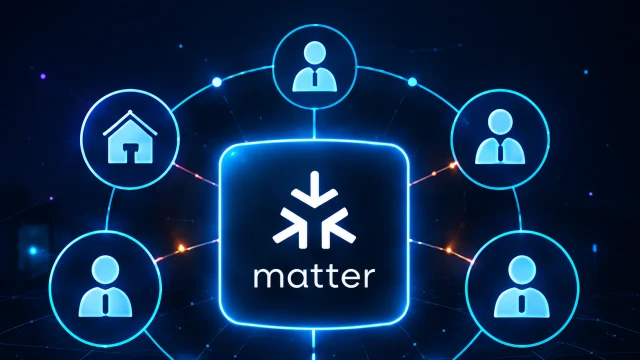
Matter's multi-ecosystem capabilities make this worth reviewing explicitly. The Connectivity Standards Alliance's Matter 1.6 announcement describes Joint Fabric alongside evolving multi-admin experiences. [1] Those are version-specific capabilities, not a claim that every installed product behaves identically.
This guide focuses on safe account and ownership changes. It uses a fictional smart lamp so the exercise does not affect door locks, heating, alarms or other safety-relevant equipment.
02 / Field notes
Prerequisites / Lab Setup
Choose a non-critical device you own and a test guest account. Record the device model, firmware, controller versions, home memberships and manufacturer account. Identify every app currently able to control it. Keep pairing codes and recovery details private; they do not belong in screenshots or a public inventory.
Read the exact product's removal, transfer and reset instructions before making changes. Confirm that an authorized owner retains control and that any needed configuration can be restored. If the device serves a safety or accessibility purpose, begin with a read-only review and arrange changes with the responsible person.
03 / Field notes
Technical Analysis
Map accounts, ecosystems and devices separately
Matter aims to support interoperability across compatible ecosystems, but a home app's membership model and a vendor's cloud service remain implementation details to inspect. [2] Treat “the device is Matter-compatible” as the start of the map, not its conclusion.
| Control path | What to record | Removal check |
|---|---|---|
| Household membership | Which people belong to each home | Removed guest cannot use that home's controls |
| Ecosystem connection | Which supported ecosystems control the device | Retired ecosystem no longer provides the intended access |
| Vendor account | Cloud users, sharing and remote features | Former user cannot operate through the vendor app |
| Automations | Routines and external integrations | Unwanted routine no longer acts on the device |
| Ownership transfer | Reset and recommissioning requirements | New owner controls the device without the former owner's account |
The distinction becomes visible during a housemate's departure. Removing their invitation from one home app may be correct but incomplete if a separate vendor sharing relationship still exists. Conversely, resetting a device unnecessarily can break every household routine. Work through documented paths rather than assuming that either one click or a factory reset is always the right answer.
Run a controlled removal test
In the fictional lamp exercise, invite a test guest through one supported home app and verify the expected control. Remove that guest using the documented process. Check again from the test account while the authorized owner confirms that normal control still works.
Repeat only for other paths that actually exist in the installation. Record the account, app, time and result. If a controller continues to show a stale tile, determine whether it can perform an action; a visible icon is not necessarily active access. Equally, a disappeared icon is not sufficient proof that a different app or remote session has lost authority.
Handle handover as a separate workflow
Selling a device, moving house and removing a temporary guest are different changes. Ownership transfer may require a supported reset, removal from cloud accounts and new commissioning. Guest removal may require none of those destructive steps. Follow the manufacturer's procedure and preserve necessary household settings before resetting anything.
Check automations after the change. A routine might depend on a departed user's account or continue under a shared service identity. Record who owns it and whether its purpose still applies. Avoid sharing a single household administrator password as a workaround for unclear ownership.
Interpret new standards carefully
Matter 1.6's announced multi-ecosystem developments are a reason to update review procedures, not to assume all old limitations have disappeared. When a controller or device gains new capabilities, ask whether access can now be shared or revoked in a different way. Record the product and firmware version with the observed behavior.
The useful future direction is clearer access visibility: owners should be able to understand who can control a device and through which path. Until a product provides that clarity, maintain a simple household map and verify changes with low-risk actions.
04 / Field notes
Mitigation / Defense
- Inventory home memberships, ecosystem connections and vendor sharing separately.
- Test guest removal on a non-critical device before applying the process more broadly.
- Preserve authorized owner access and distinguish removal from full ownership transfer.
- Review routines and integrations after a person or ecosystem is removed.
- Repeat the relevant checks after a material controller or firmware update.
For network boundaries, continue to Thread border-router security. For the wider household review, use the Matter smart-home checklist. Neither a protocol logo nor an account change substitutes for observing the actual intended result.
05 / Field notes
References
Sources checked 28 October 2026. Matter 1.6 is discussed as a specific published version, not asserted to be the newest version on every reading date. The lamp test is hypothetical; no lock, alarm or live household device was operated for this article.
- Matter 1.6: setup, multi-ecosystem experiences and context-driven control ↗Connectivity Standards Alliance · accessed 2026-10-28
- Matter frequently asked questions ↗Connectivity Standards Alliance · accessed 2026-10-28
Questions readers ask
Does removing a device from one home app remove every controller?
Do not assume so. Review the product’s supported ecosystems, home memberships and vendor account connections, then verify the relevant access paths.
Does Matter 1.6 mean every device supports Joint Fabric?
No. A specification feature is not evidence that a particular device, controller, firmware or ecosystem implements it. Check the exact product support.
About this edition: Articles include AI-assisted drafting and editing. Conceptual illustrations are not evidence of a real incident or product test. Read our sourcing and review standards.
Research improves with scrutiny. Send a correction with the article URL and supporting evidence.
Contact the editorial desk ↗